
How Provisio works, from your first box to your hundredth hire
Getting started takes a few weeks, not months. We get your devices into our facility, learn how your team works, and from then on you request and we handle it.
Step 1: Get your devices to us
There are three ways to stock your shelf, and most companies use more than one.
| Option | How it works | Best for |
|---|---|---|
| We pick up your existing inventory | We collect laptops and accessories from your office, closet or storage unit and bring them to our facility. | Companies with spare devices already on hand |
| You ship new inventory to us | Have your vendor or the manufacturer deliver new orders straight to our facility. | Teams with an existing vendor |
| You buy through us | Order from your approved catalog at our partner pricing. More on procurement. | Getting the best price on new laptops |
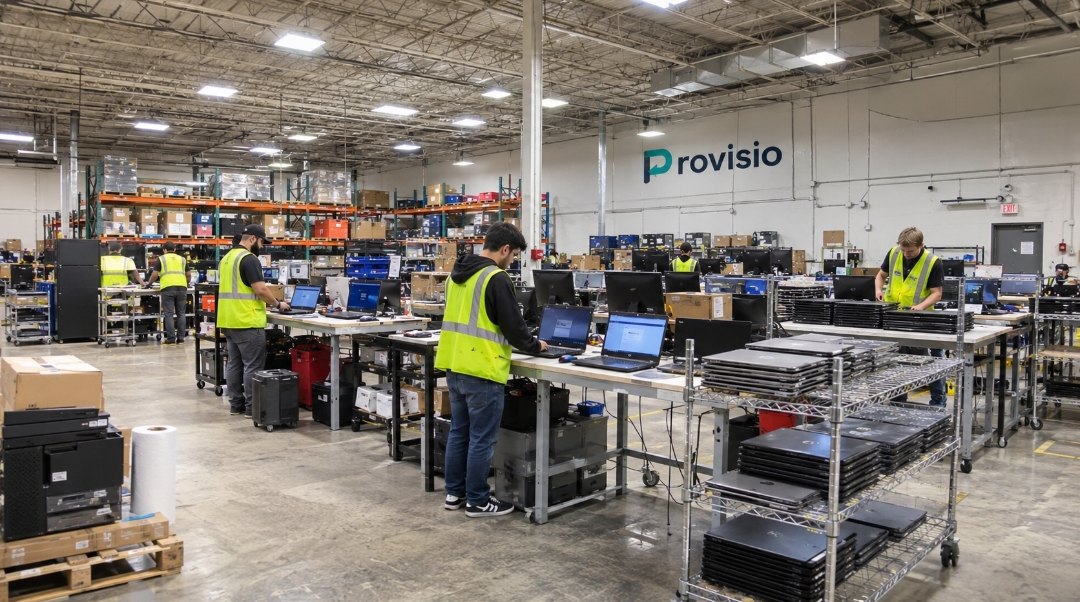
Every device is scanned in by serial number, inspected, photographed and added to your inventory in the Provisio app.
Step 2: We learn your setup
- Your device profiles: which laptop and accessories each role gets
- Your build: device management, enrollment and the apps to install
- Your kits: peripherals, branded items and custom boxes
- Your contacts: who requests, who approves, who we escalate returns to
- How you want to request: the Provisio app, your ticketing system or email
Step 3: You request, we handle it
| When this happens | We do this |
|---|---|
| Someone is hired | Set up a laptop, pack their kit and deliver it before day one |
| Someone leaves | Send a return kit, follow up until it ships, wipe and restock the device |
| A laptop breaks | Ship a replacement from your stock and file the warranty claim |
| Stock runs low | Tell you in time, and order more if you buy through us |
| An auditor asks | Give you the device history and wipe record |
Ways to send us requests
- The Provisio app: order devices, start deployments and returns, and see every device. See the app.
- Your ticketing system: when a ticket needs a device or a replacement, it comes to us automatically. See integrations.
- Email or phone: reach your account team, who know your setup.
What it costs
You pay per device we send out or take back, plus storage for what sits on your shelf. No subscriptions, seat fees or credits. See pricing.
Common questions
How long does onboarding take?
Most teams are up and running within a few weeks, depending on how many devices we need to collect and set up.
Can you pick up devices from our office?
Yes. We can collect your existing inventory and bring it to our facility.
Do we need new laptops to get started?
No. Start with the devices you already have and add new ones when you need them.
Who do we talk to day to day?
Your account team, who know your setup and answer by email or phone.
See how it would work for your team
Book a 30-minute walkthrough and we’ll map your setup step by step.
